Shape the final mix.
Import a WAV, AIFF or MP3, build a chain from the 23 Clios processors or choose a prepared chain, and adjust each effect. The app displays loudness and true peak before and after processing.
MASTERING LAB
An iPhone and Mac audio workspace for mixing stems and mastering a finished track with Clios processors.
 MASTERING LAB / PRODUCT ICON
THE IDEA
Master mode processes one mixed track through a Clios effect chain. Mix mode gives imported stems their own gain, pan, mute, solo and effect racks before a separate master rack. Both modes support original/processed A/B listening, loudness and true-peak readings, full-track rendering and WAV export.
WHERE IT IS TODAY
In development and being tested on devices. The screenshots are from working builds using test audio. A public App Store release and downloads are not available here yet.
A WORKSPACE FOR SOUND
Mastering Lab has two modes. Master starts with one mixed track. Mix starts with multiple stems, each with its own controls and Clios effect chain, then routes the result through a master chain.
Import a WAV, AIFF or MP3, build a chain from the 23 Clios processors or choose a prepared chain, and adjust each effect. The app displays loudness and true peak before and after processing.
Import stems together. Each track has gain, pan, mute, solo and its own effect rack. The combined tracks then pass through a separate master rack.
Switch between original and processed audio, with optional loudness matching for a fair A/B. Render the full track and save the result as a WAV.
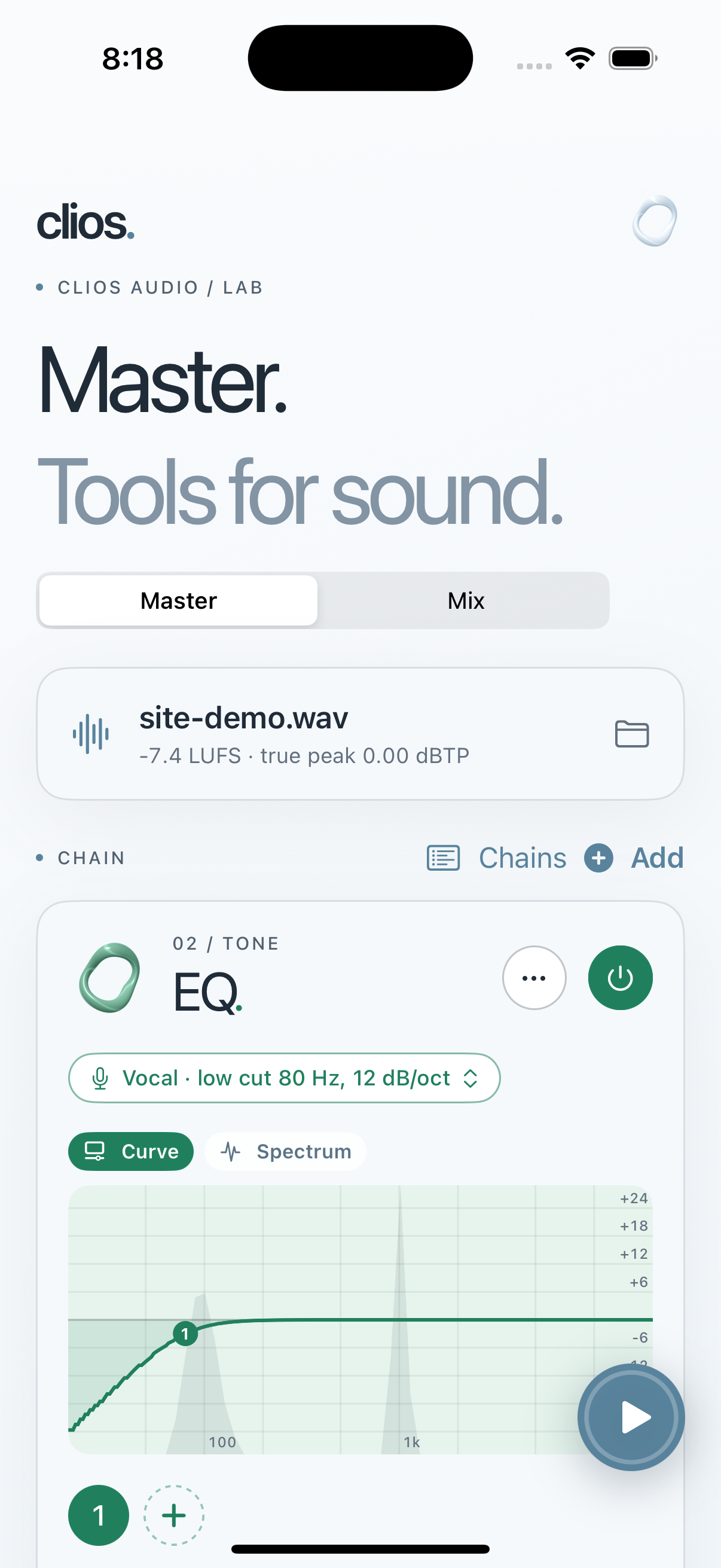
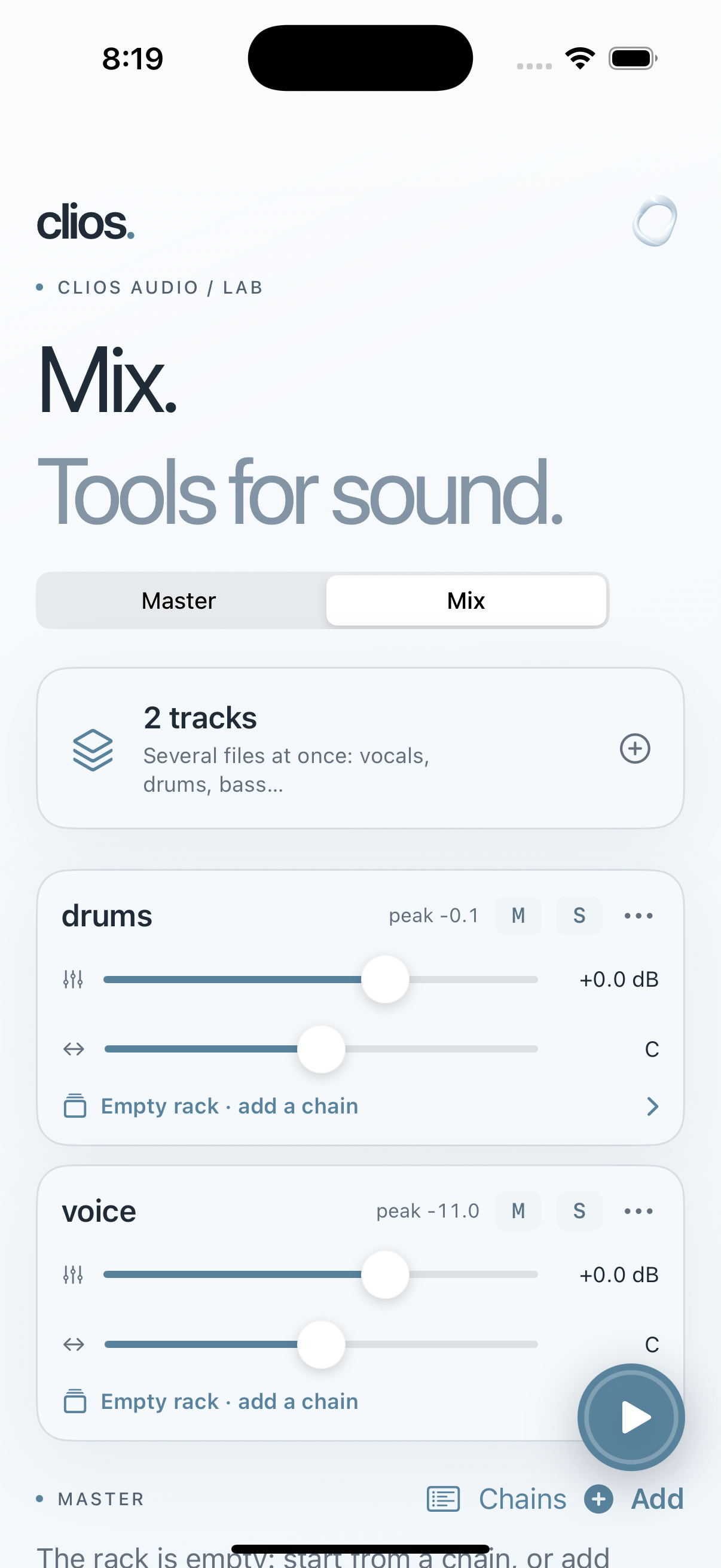
The iPhone plug-in screens in the Clios Audio gallery show the processing controls inside Mastering Lab. Clios Rack is a separate DAW plug-in for hosting third-party effects; it is not an app processor.