Latency when it matters.
Many processors offer an Exact mode and a lower-latency monitoring mode. The lower-latency path can change phase or timing, so the mode is a sound choice as well as a workflow choice.
CLIOS AUDIO / PRODUCT PREVIEW
Tools for shaping sound.
Space for finding your own.
23 PROCESSORS + CLIOS RACK.
Dynamics, tone, space & routing.
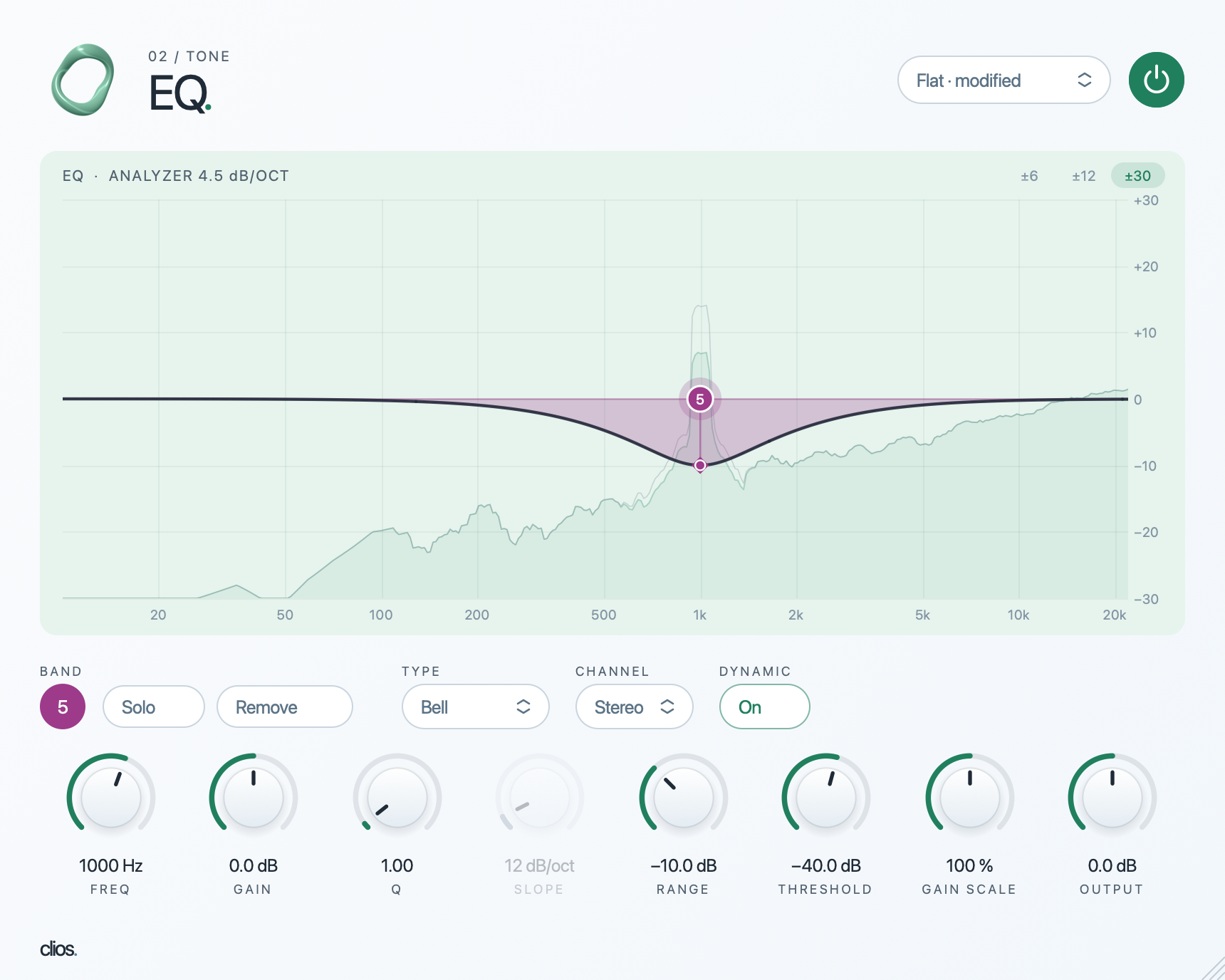
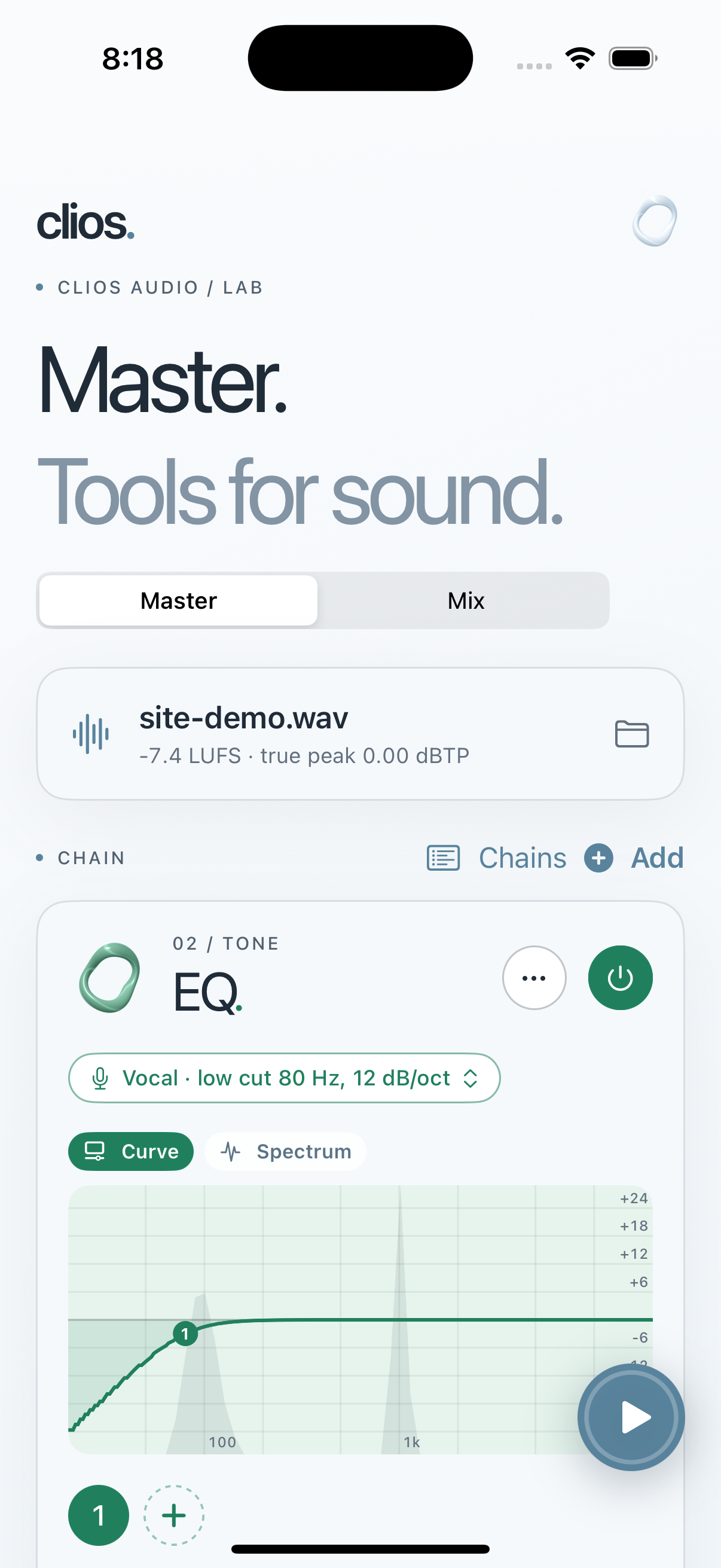
THE CURRENT EQ PLUG-IN. THE APP IN USE.

MEET MASTERING LAB
Mastering Lab brings the 23 Clios processors to iPhone and Mac. Import one mixed track for mastering, or multiple stems for mixing with a rack on each track and another on the master. Compare original and processed audio, inspect loudness and true peak, then export a WAV.
The app and plug-ins are in development. Captures come from working builds.
See the app and its workflow →Many processors offer an Exact mode and a lower-latency monitoring mode. The lower-latency path can change phase or timing, so the mode is a sound choice as well as a workflow choice.
The desktop processors and Mastering Lab share their audio engines. The app brings those tools into Master and Mix workflows with A/B listening and export.
Clios Rack hosts other AU and VST3 effects inside serial, parallel and nested split paths. Its frequency splits can favor zero added latency or linear phase.
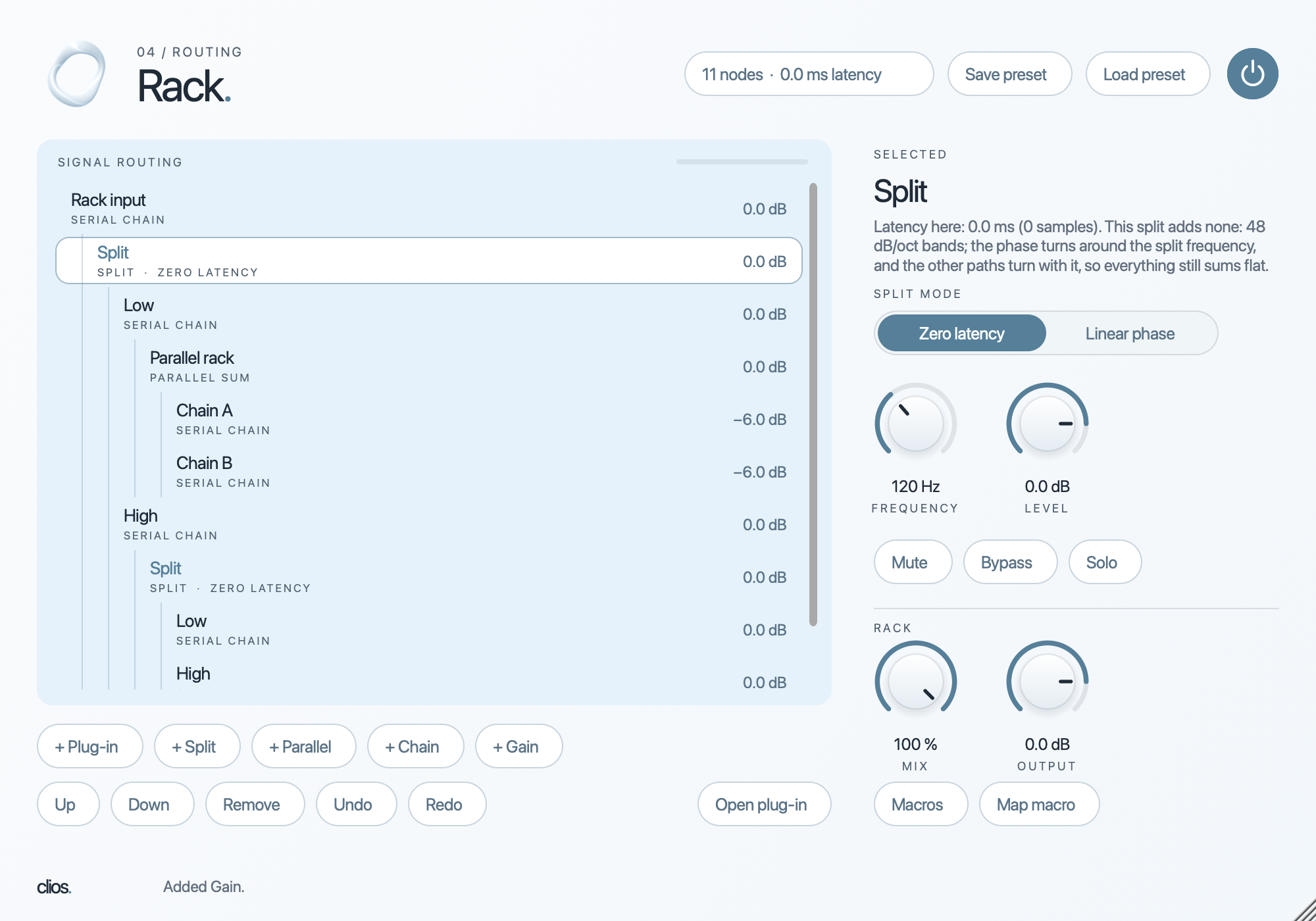
Nested signal router and plug-in host
Hosts AU or VST3 effects inside serial chains, parallel branches and frequency splits, including splits nested inside other branches. Each branch can hold its own effects.
What it adds Each split offers zero-latency IIR or linear-phase processing. The rack aligns branch latency and phase at the sum, and adds mix, solo, bypass, macros and presets. DAW plug-in only.